A Spanish AI audiobook generator should do more than read a paragraph with a Spanish text-to-speech voice. A book has chapters, narration, recurring characters, dialogue, names that need consistent pronunciation, and a cast that must remain understandable over hours of listening. MyNarratorAI treats those pieces as one production workflow: choose Spanish, add your book, generate a first audio version, then review the result and—when Create Version is available to your account—make targeted corrections.
This guide explains the current Spanish workflow, including the difference between neutral Spanish and an eligible regional voice option. It also shows where full-cast narration helps—and where a careful listening pass still matters.
What makes a Spanish AI audiobook generator book-ready?
Basic text-to-speech tools are useful for short passages. Long-form audio needs more structure. MyNarratorAI processes supported Spanish books as books: it preserves chapters, separates narration from attributed dialogue, assigns voices to the cast, and produces audio that you can listen to by chapter.
That changes the job from “pick one voice and render a file” to a more useful sequence:
- Set the book language to Spanish.
- Choose an available Spanish narrator.
- Decide whether voice actors should be assigned automatically.
- Generate the first audio version.
- Listen for casting, dialogue, and pronunciation issues.
- Create a new version with only the changes the book needs.
If you are comparing the broader workflow first, see our AI audiobook generator guide for full-cast audio.
Step 1: Select Spanish before choosing a narrator
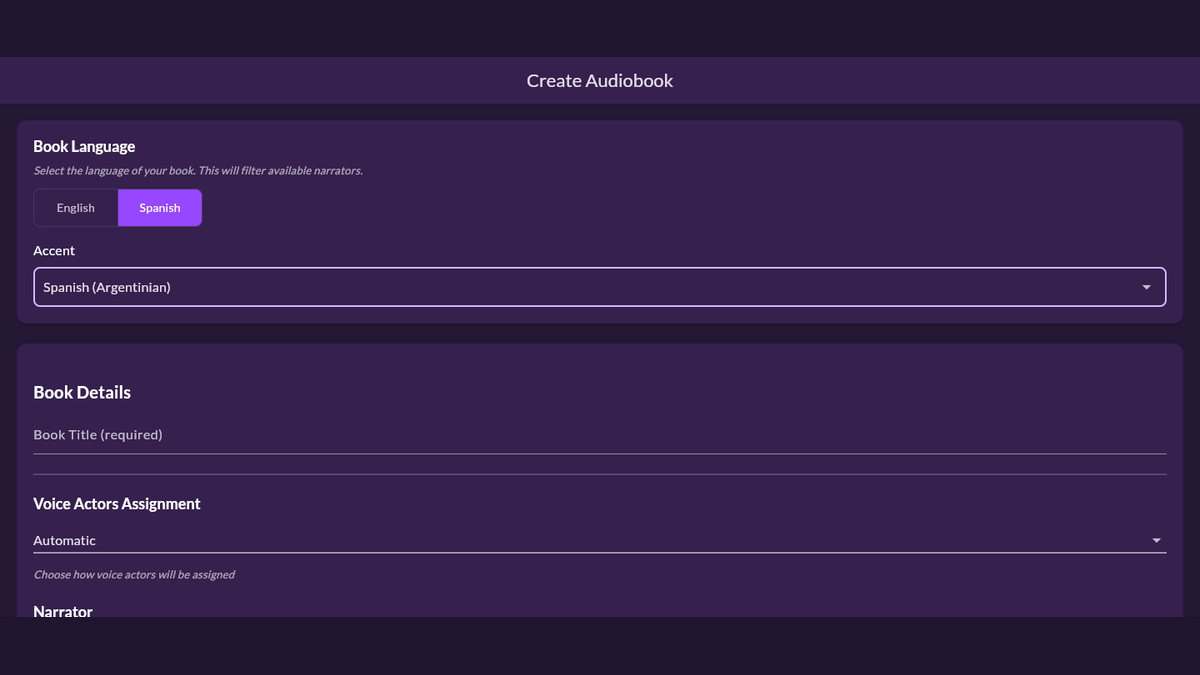
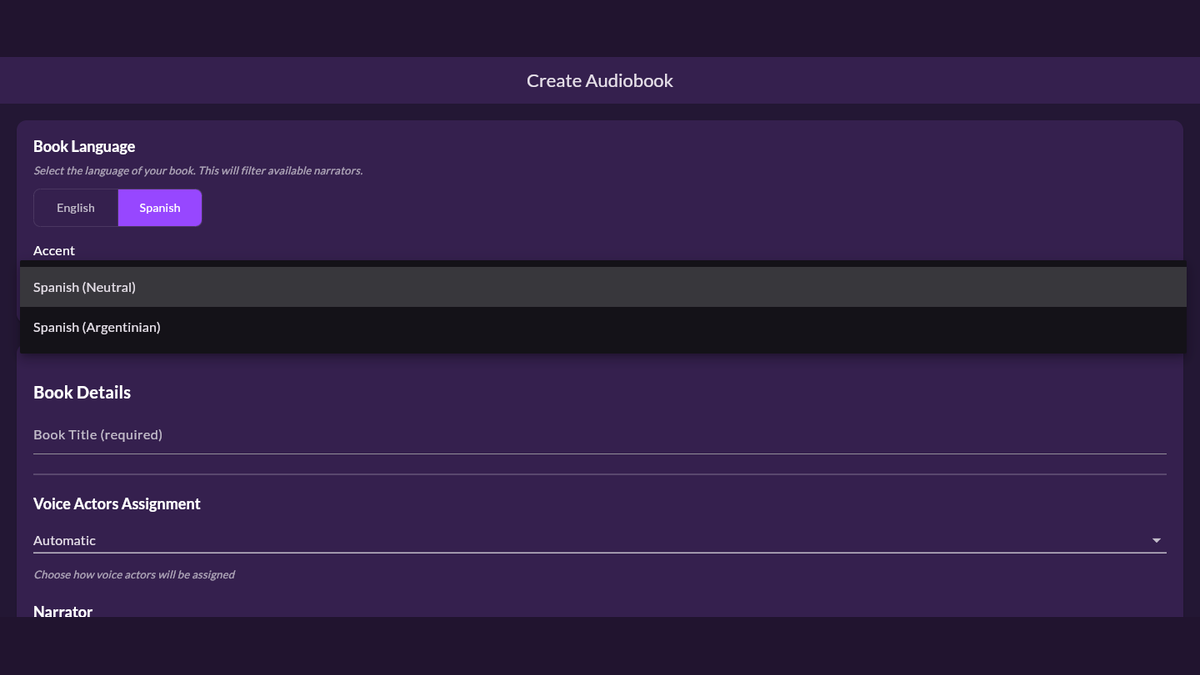
On the Create Audiobook page, the Book Language control appears before the book details and narrator settings. Choose Spanish there first. The platform uses that choice to load compatible narrators and to send the book through its Spanish-language processing path.
This order matters. A voice can sound good in a demo and still be the wrong choice for the text’s language. Filtering the roster first avoids accidentally building a Spanish project around an English narrator.
Clean source text helps too. Check chapter order, headings, dialogue punctuation, and obvious scanning errors before upload. If the source came from a scanned PDF, review the extracted text particularly closely. A narrator cannot reliably repair missing punctuation or garbled words that are already present in the book.
Step 2: Understand neutral and regional Spanish voices
Neutral Spanish is the default Spanish accent path. MyNarratorAI also supports an Argentinian Spanish option when that optional feature is enabled for the account and a compatible narrator is available. When offered, the accent choice filters the narrator roster again so the selected voice and requested accent stay aligned.
Regional voice selection is not a magic translation or dialect rewrite. The original Spanish text remains authoritative; the selected narrator affects how that text is spoken. Vocabulary, character background, and regional phrasing should already match the audience you want to reach.
The safest casting rule is simple: choose the voice you want listeners to hear, then verify it with real chapters. A short demo is useful, but names, dialogue rhythm, and long sentences reveal much more about an audiobook voice.
Step 3: Build a full-cast Spanish audiobook
The Voice Actors Assignment setting offers three paths. Full Cast explicitly requests distinct character voices. Automatic lets the book-analysis stage decide whether full-cast processing applies, while Narrator Only keeps the book on the single-narrator path. In a full-cast project, the book narrator remains separate from character voices, and recurring characters can keep distinct voices across chapters.
Full-cast audio is especially useful in conversation-heavy fiction because distinct voices can make speaker changes easier to follow. It can also make a large cast easier to distinguish. It does not remove the need for review: ambiguous dialogue, aliases, unusual formatting, or a character described late in the book can still require a human decision.
If a particular role needs a voice that is not in the standard roster, you can also create a reusable custom narrator from a clear sample you own or have permission to use. Our guide to custom voice actors for full-cast audiobooks explains that workflow and the consent considerations.
Step 4: Review the Spanish audio, not just the settings
Listen to at least one narration-heavy section and one dialogue-heavy section before deciding that the cast is finished. Pay attention to:
- Names, invented terms, abbreviations, and place names.
- Dialogue assigned to the wrong character.
- Two important characters whose voices are too similar.
- A narrator or character voice that does not fit the intended region.
- Chapter openings and transitions that sound abrupt.
Reviewing a complete chapter is more informative than replaying only a few isolated lines. Audiobook quality depends on continuity: the same character should remain recognizable when they return later.
Step 5: Correct the audiobook when Create Version is available
A first generation does not have to be the final one. Create Version is currently available to Standard, Pro, Ultimate, and Admin accounts. Its workspace groups corrections by intent: you can change the narrator or a character voice, add or remove a dialogue assignment, replace a mispronounced word with a speakable respelling, merge duplicate character identities, or adjust a character’s narration speed.
For a complete correction walkthrough, see how to fix an AI audiobook without starting over.
For a pronunciation problem, select the word from the chapter text, enter how it should be said, and preview it in the line’s current voice. When the preview sounds right, review the proposed change and choose where the corrected version should start. This creates a new audio version; it does not overwrite a single word inside the existing audio file.
That versioned approach protects the original while letting you concentrate regeneration on the relevant chapter range. Unchanged audio chunks can be reused where possible, but you should still listen to the new version before selecting it for regular playback.
Who is this workflow for?
Spanish audiobook creation can be useful for independent authors, small publishers, educators, and readers converting books they are allowed to use. It is also a practical way to test how a dialogue-heavy manuscript works in audio before planning a traditional studio production.
Always confirm that you control the audiobook rights to the text and have permission for every custom voice sample. For public-domain material, verify the legal status in the country where you will use or distribute the result; public-domain rules vary by jurisdiction.
Start with one representative chapter
The fastest way to evaluate a Spanish cast is to start with a manageable book or a few representative chapters. Choose Spanish, select a compatible narrator, generate the first version, and listen for the choices that matter to your audience. Then refine only what needs attention.
Start a Spanish AI audiobook generator project in MyNarratorAI with a book you are authorized to use.
Frequently asked questions
Can MyNarratorAI create a Spanish audiobook with several voices?
Yes. Choose Full Cast to request separate voices for narration and character dialogue, or use Automatic to let the analysis stage decide whether full-cast processing applies. The first-pass result still depends on the source text, so review the generated audio and, when Create Version is available to your account, correct ambiguous assignments as needed.
Does it support an Argentinian Spanish voice?
An Argentinian Spanish option is available when the account’s optional-feature access permits it and a compatible narrator is available. Neutral Spanish remains the default.
Can I correct a Spanish name that is pronounced incorrectly?
Yes, when your account includes Create Version. The pronunciation-fix flow lets you preview a speakable replacement in context, then create a new audio version beginning at the selected chapter or from Chapter 1.
Related articles
- AI Audiobook Generator: Turn Any Book Into Full-Cast Audio
- Create Custom Voice Actors for Full-Cast AI Audiobooks
- EPUB to Audio: Complete Conversion Guide
Published on August 23, 2026.